Adding Angular Components to your static site


how this post connects together.
Follow AJ from first principles to production-ready architecture.
Adding Angular Components to your static site is a technical guide on CodingCat.dev by Alex Patterson focused on Angular, Stripe, HTML. Utilizing Web Components within Hugo Static Site Generator (or any static site), to take Stripe/PayPal payments and more!.
Why Angular Components
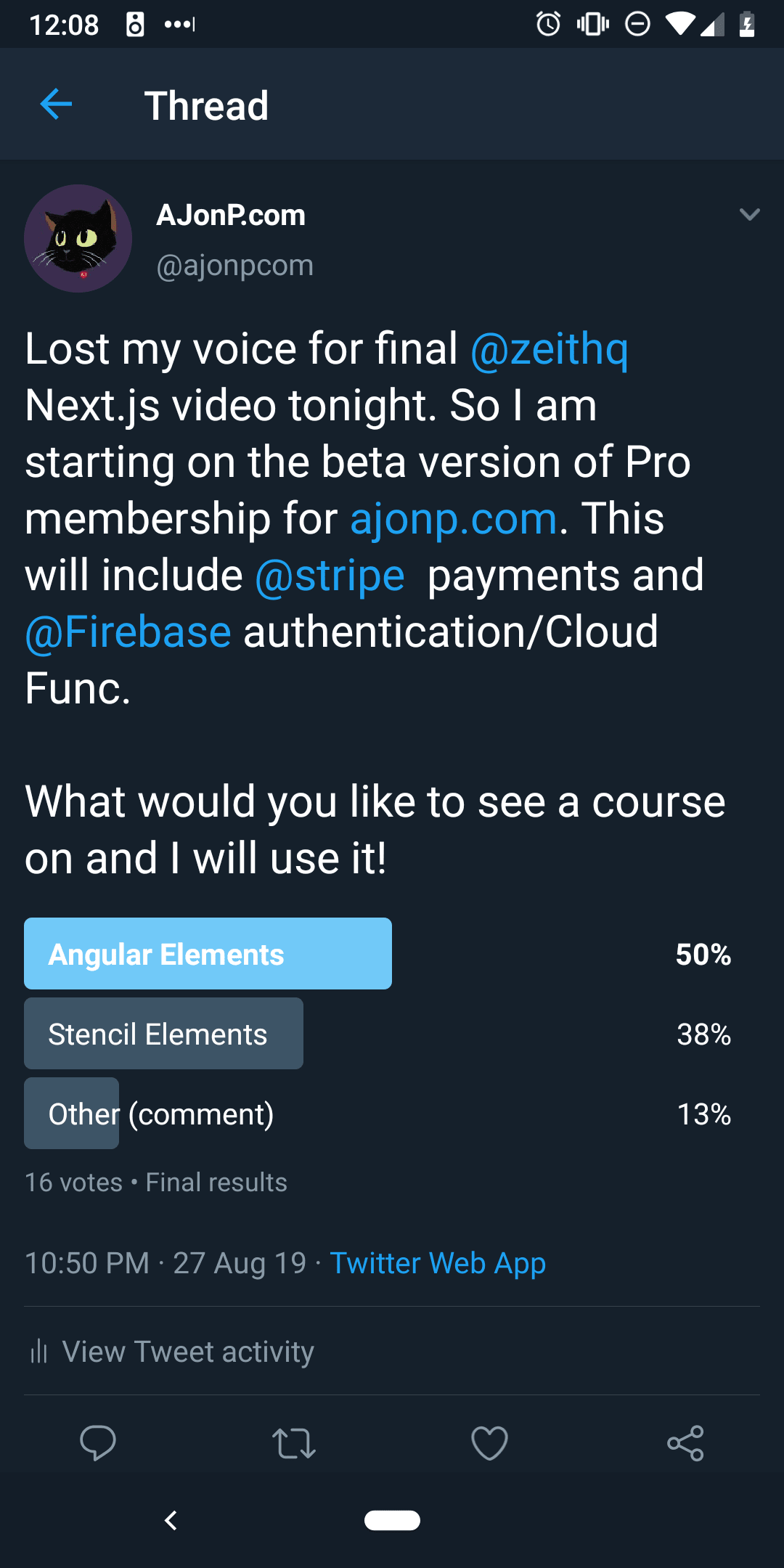
Because the people want it!
Demo
I plan to share a more in depth course on how to build all of this! For now I thought it would be cool just to see it all in action. Notice how after the site loads Firebase kicks in and checks to see if you are a pro member then dynamically hides items using a webcomponent that understands user state. The great part here is that I have many of the Angular items that access firebase already created and I don't have to reinvent the wheel!
Who do I have to thank for teaching all of this to me? Jeff Delaney at https://fireship.io/courses/stripe-payments/
Allowing User
It is as easy as using <ajonp-allow-if> to wrap around any element and then use display none within that component.
No more ads
An example of this is when a user registers and becomes a Pro member of AJonP, they will no longer see ads.For this I can just wrap my Hugo Go Partial:
<ajonp-allow-if level="not-user">
	<ion-row>
		<ion-col text-center>
			<div class="ajonp-hide-lg-down">
				<!-- /21838128745/ajonp_new -->
				<div id="div-gpt-ad-xxxxxxxxxxxxxx-0" style="width: 970px; height: 90px; margin: auto;">
					<script>
						googletag.cmd.push(function () {
							googletag.display('div-gpt-ad-xxxxxxxxxxxxxx-0');
						});
					</script>
				</div>
			</div>
		</ion-col>
	</ion-row>
</ajonp-allow-if>
Angular Parts
The template is pretty straight forward, Angular either shows the component or removes it based on the *ngIf.
<div *ngIf="allowed">
	<slot></slot>
</div>
<div *ngIf="!allowed">
	<slot name="falsey"></slot>
</div>
Angular Component
Some things to note are the code decorations. This allows for you to pass in all of these different items as attributes on the ajonp-allow-if component. In our example above I pass in level="not-user" to the @Input level decorator.What is wonderful about using Angular is that you get all the nice dependency injection that you would normally get with a standard Angular component!
import {
	Component,
	ViewEncapsulation,
	ChangeDetectorRef,
	Input,
	AfterViewInit,
	ElementRef
} from '@angular/core';
import { AuthService } from '../../core/services/auth.service';

@Component({ templateUrl: './allow-if.component.html', encapsulation: ViewEncapsulation.ShadowDom })
export class AllowIfComponent implements AfterViewInit {
	@Input() selector;
	@Input() level: 'pro' | 'user' | 'not-pro' | 'not-user' | 'not-user-not-pro';
	@Input() reverse = false;
	@Input() product;
	constructor(private cd: ChangeDetectorRef, public auth: AuthService, private el: ElementRef) {}
	ngAfterViewInit() {
		this.el.nativeElement.style.visibility = 'visible';
	}
	allowed() {
		const u = this.auth.userDoc;
		const products = u && u.products && Object.keys(u.products);

		// Handle Product
		if (products && products.includes(this.product)) {
			return true;
		}
		// Handle Level
		switch (this.level) {
			case 'user':
				return u;
			case 'pro':
				return u && u.is_pro;
			case 'not-pro':
				return u && !u.is_pro;
			case 'not-user':
				return !u;
			case 'not-user-not-pro':
				return !u || !u.is_pro;
			default:
				return false;
		}
	}
}
Here you can see I am utilizing the full firebase library for authentication, which is sweet!
import { Injectable, ApplicationRef } from '@angular/core';
import * as firebase from 'firebase/app';
import { user } from 'rxfire/auth';
import { docData } from 'rxfire/firestore';

import { Observable, of } from 'rxjs';
import { switchMap, take, tap, isEmpty } from 'rxjs/operators';

import { AjonpUser } from '../models/ajonp-user';
import { AngularfirebaseService } from './angularfirebase.service';

@Injectable({
  providedIn: 'root'
})
export class AuthService {

  authClient = firebase.auth();

  user$: Observable<any>;
  userDoc$: Observable<any>;

  user;
  userDoc;

  constructor(private app: ApplicationRef, private db: AngularfirebaseService) {
    // Why service subsciptions? Maintain state between route changes with change detection.
    this.user$ = user(this.authClient)
      .pipe(tap(u => {
        this.user = u;
        this.app.tick();
      }));

    this.userDoc$ = this.getUserDoc$('users').pipe(tap(u => {
      this.userDoc = u;
      this.app.tick();
    }));

    this.userDoc$.pipe(take(1)).subscribe((u: AjonpUser) => {
      if (u && Object.keys(u).length) {
        const ajonpUser: AjonpUser = { uid: u.uid };
        this.updateUserData(ajonpUser).catch(error => {
          console.log(error);
        });
      } else {
        if (this.user && Object.keys(this.user).length) {
          const data: AjonpUser = {
            uid: this.user.uid,
            email: this.user.email,
            emailVerified: this.user.emailVerified,
            displayName: this.user.displayName || this.user.email || this.user.phoneNumber,
            phoneNumber: this.user.phoneNumber,
            photoURL: this.user.photoURL,
            roles: {
              subscriber: true
            }
          };
          this.setUserData(data).catch(error => {
            console.log(error);
          });
        }
      }
    });

    this.user$.subscribe();
    this.userDoc$.subscribe();
  }

  getUserDoc$(col) {
    return user(this.authClient).pipe(
      switchMap(u => {
        return u ? docData(firebase.firestore().doc(${col}/${(u as any).uid})) : of(null);
      })
    );
  }

  ///// Role-based Authorization //////

  canCreate(u: AjonpUser): boolean {
    const allowed = ['admin', 'editor'];
    return this.checkAuthorization(u, allowed);
  }

  canDelete(u: AjonpUser): boolean {
    const allowed = ['admin'];
    return this.checkAuthorization(u, allowed);
  }

  canEdit(u: AjonpUser): boolean {
    const allowed = ['admin', 'editor'];
    return this.checkAuthorization(u, allowed);
  }

  canRead(u: AjonpUser): boolean {
    const allowed = ['admin', 'editor', 'subscriber'];
    return this.checkAuthorization(u, allowed);
  }

  // determines if user has matching role
  private checkAuthorization(u: AjonpUser, allowedRoles: string[]): boolean {
    if (!u) {
      return false;
    }
    for (const role of allowedRoles) {
      if (u.roles[role]) {
        return true;
      }
    }
    return false;
  }

  public setUserData(u: AjonpUser) {
    return this.db.set(users/${u.uid}, u);
  }

  // Sets user data to firestore after succesful signin
  private updateUserData(u: AjonpUser) {
    return this.db.update(users/${u.uid}, u);
  }
  signOut() {
    this.authClient.signOut();
    location.href = '/pro';
  }
}
Resources, Links & Official Documentation
- Angular Developer Guide: Signals, standalone components, and enterprise Angular workflows
- Stripe Developer Documentation: Payment intents, webhooks, subscriptions, and billing architecture
- MDN HTML Reference: Semantic markup, accessibility attributes, and document structure
Related CodingCat.dev Tutorials & Podcast Episodes
- Scully - Angular Static Site Generator: In the Static Site Generator (SSG) space, ReactJs has Gatsby and VueJs has Vuepress/Gridsome. This left for a space to be filled for Angular, introducing Scully...
- Angular CLI Deploying: Demonstrating how to quickly deploy using Angular CLI to 6 places. Then how to setup CI/CD in Azure, AWS, and Google Cloud Platform.
- RxFire in Svelte 3 using Firebase Firestore and Authentication: Introduction to Svelte3, Firebase, and RxFire. RxFire provides a set of observable creation methods. You simply call a function with some parameters to receive ...
Frequently Asked Questions (FAQ)
What are the main takeaways from Adding Angular Components to your static site?
Utilizing Web Components within Hugo Static Site Generator (or any static site), to take Stripe/PayPal payments and more!. Adding Angular Components to your static site explores practical patterns for Angular, Stripe, HTML in modern software engineering. Throughout this post, Alex Patterson breaks down real-world implementation details for Angular, Stripe, HTML so developers can apply these patterns directly in production.
How do you implement Angular best practices in production?
When adopting Angular and Stripe in a production stack, start by validating your configuration against the Angular Developer Guide (Signals, standalone components, and enterprise Angular workflows). Focus on incremental adoption, automated testing, and observability so your team can measure performance and developer velocity improvements at each stage.
Where can I watch the full Adding Angular Components to your static site walkthrough and find related code resources?
You can explore the complete write-up and code examples right here on CodingCat.dev, and subscribe to the CodingCat.dev YouTube channel for weekly video tutorials. For a deeper dive into Angular, check out our related guide: Scully - Angular Static Site Generator.