


The Odin Project 2: Git & GitHub Engineering Workflows

course lessons.
1 Section · 2 LessonsCore Architecture & Implementation
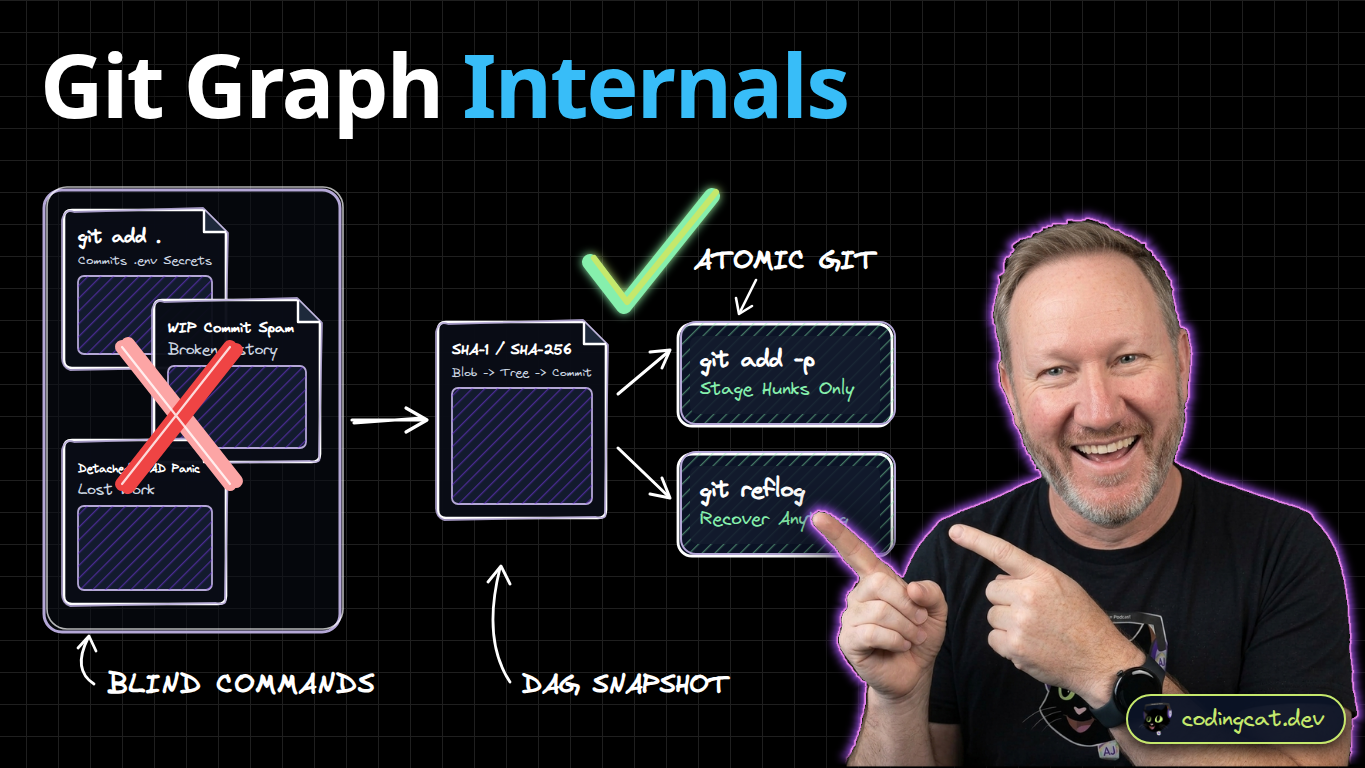
- 1.1Git Internals: Blobs, Trees, Commit Snapshots & the Staging Index
Once you realize Git is just a directed acyclic graph of immutable snapshots and pointer files, you will never fear a detached HEAD or a bad reset again. Let's look under the hood of Git.
GitGitHubDevOps+1▶ Video + LessonStart Lesson → - 1.2Branching, Merge Commits vs. Interactive Rebase & Conflict Resolution
Should you merge or rebase? And how do you clean up twelve messy work-in-progress commits before opening a pull request? Let's master interactive rebase and safe conflict resolution.
GitGitHubDevOps+1▶ Video + LessonStart Lesson →
course overview.
1. Production Architecture Problem & Why We Built This Course
Understand how Git actually stores snapshots, master branching and interactive rebase, write atomic commits, and automate PR checks with GitHub Actions. In production engineering teams, the gap between a quick weekend demo and a resilient, multi-tenant system comes down to three architectural boundaries: cold-start latency, compile-time contract validation, and predictable operational cost. Throughout The Odin Project 2: Git & GitHub Engineering Workflows, we strip away marketing buzzwords and build the exact TypeScript, edge compute, and structured data patterns that power CodingCat.dev in production.
Every lesson in this course pairs a dark-mode Architecture Diagram (contrasting the legacy anti-pattern on the left against the recommended 2026 production pattern on the right) with copy-pasteable TypeScript modules, automated verification checks, and an explicit Trade-Off Matrix. Whether you are reading the official MDN Web Docs: Core Web Specifications (HTML5, CSS, DOM, Fetch & HTTP) or pairing this course with our deep dive on Course: The Zero-Cold-Start Edge Stack (Astro 7, Cloudflare Workers, D1 & Better-Auth), you can apply every pattern directly to your own repository today.
🐾 AJ's Course Architecture Rule: Never adopt a tool just because it trended on social media. Measure its cold start in milliseconds, verify its TypeScript schema boundary at compile time, and check what happens to your cloud bill when traffic spikes 100x.
2. Lesson-by-Lesson Architectural Walkthrough (2 Lessons)
Work through the lessons in sequence to build the complete system from first principles, or jump directly to the specific architectural boundary you are solving right now:
- Lesson 1: Git Internals: Blobs, Trees, Commit Snapshots & the Staging Index: Replaces the
BLIND COMMANDS (git add ., WIP Commit Spam, Detached HEAD Panic)anti-pattern withSHA-1 / SHA-256 -> git add -p + git refloginsideterminal-git-internals.sh. Once you realize Git is just a directed acyclic graph of immutable snapshots and pointer files, you will never fear a detached HEAD or a bad reset again. Let's look under the hood of Git. - Lesson 2: Branching, Merge Commits vs. Interactive Rebase & Conflict Resolution: Replaces the
MERGE SPAGHETTI (15 'fix typo' Commits, git pull Merge Loops, Force Push Main)anti-pattern withgit rebase -i -> --force-with-lease + git bisectinsideterminal-rebase.sh. Should you merge or rebase? And how do you clean up twelve messy work-in-progress commits before opening a pull request? Let's master interactive rebase and safe conflict resolution.
3. Alex's 2026 Ecosystem & Architectural Tier List
Before writing a single line of configuration, you need to know how the available platforms and patterns stack up in real production environments. Here is how I rank the ecosystem from S-Tier (our default production choice on CodingCat.dev) down to D-Tier anti-patterns to avoid:
Alex's Git History & Pull Request Workflow Tier List
Ranked from S-Tier (2026 Production Standard) to D-Tier (Legacy Anti-Patterns) across performance, accessibility, type safety, and maintainability.
Interactive Hunk Staging (git add -p) + Interactive Rebase + --force-with-lease ↗
Atomic Linear Engineering WorkflowProduces clean, self-contained commits where every commit on main compiles and passes tests, enabling git bisect to pinpoint regressions in seconds.
Squash-and-Merge PRs with GitHub Actions Type + E2E Gates ↗
Team CI/CD Merge StrategyRuns astro check, Vitest, and Playwright E2E checks on every pull request before condensing feature branch commits into one atomic main commit.
Repeated git pull Merge Loops ('Railroad Track' History)
Noisy Merge GraphLitters git log with dozens of 'Merge branch main into feat' commits that obscure what actually changed.
Blind 'git add .' + 'git push --force origin main'
Production Outage PatternCommits untracked debug files or credentials and overwrites teammates' upstream commits without warning.
4. Production Starter Configuration & Local Setup
To follow along with the code examples in The Odin Project 2: Git & GitHub Engineering Workflows, start with this baseline package.json configuration. It enables strict TypeScript verification, observability tracing, and local development bindings that match production 1-to-1:
{
  "name": "course-odin-2-git-workflows",
  "private": true,
  "type": "module",
  "scripts": {
    "dev": "astro dev",
    "build": "astro check && astro build",
    "test": "vitest run",
    "test:e2e": "playwright test"
  },
  "dependencies": {
    "astro": "^6.0.0",
    "hono": "^4.11.0",
    "zod": "^4.0.0"
  },
  "devDependencies": {
    "@playwright/test": "^1.58.0",
    "typescript": "^5.9.0",
    "vitest": "^4.0.0"
  }
}
5. Course-Wide Production Trade-Off Matrix
Every architectural decision involves trade-offs. Use this reference table during design reviews with your team to justify why we choose edge-native TypeScript, explicit schema validation, and deterministic workflows over legacy alternatives:
| Architectural Dimension | 2026 CodingCat.dev Course Pattern | Legacy Industry Default | Production Impact at Scale |
|---|---|---|---|
| Compute & Cold Starts | V8 Isolates / Native Browser Compositor (< 5ms) | Heavy Container VMs / Main-Thread JS Bloat (500ms+) | Eliminates tail-latency spikes on every request and interaction. |
| Contract & Type Safety | End-to-End TypeScript + Zod / GROQ TypeGen | Untyped JSON payloads & manual interface drift | Catches breaking schema changes in CI before deployment. |
| State & Database Topology | Cloudflare D1 Batch / Durable SQLite / Sanity Content Lake | Exhausted TCP pools & unindexed N+1 loops | Predictable sub-10ms reads with zero connection pool errors. |
| Security & Multi-Tenancy | OAuth 2.1 PKCE + Better-Auth Scoped Sessions | Shared static API keys & unescaped DOM strings | Zero-trust tenant isolation and $0 per-MAU SaaS tax. |
| AI & Agent Readiness | Streamable HTTP MCP + WebMCP + RFC 9727 + Daily Spend Caps | 20k-token headless DOM scraping & uncapped retry loops | Cuts token spend by 95%+ while preventing runaway bills. |
6. Official Specifications, Docs & Related CodingCat.dev Deep Dives
Bookmark these official specifications and related CodingCat.dev Courses, Blog Posts, and Podcast Episodes as you work through the lessons:
- Course: The Zero-Cold-Start Edge Stack (Astro 7, Cloudflare Workers, D1 & Better-Auth): See how web fundamentals scale into a sub-10ms global production architecture.
- Course: MCP in Production (Building & Securing Model Context Protocol Servers): Apply HTTP, JSON-RPC 2.0, OAuth 2.1, and TypeScript schemas to AI agent tool servers.
- Course: Full-Stack AI Agents in TypeScript: Build deterministic TypeScript state machines, hybrid browser AI routers, and CI evals.
- Blog Post: Accessibility Best Practices for HTML & CSS: Practical semantic DOM landmarks, keyboard focus management, and WCAG contrast rules.
- Podcast Episode: GenAI for Engineers: What's Real, What's Not, and What's Coming: How strong web platform fundamentals make you 10x more effective when pair-programming with AI.
- MDN Web Docs: Core Web Specifications (HTML5, CSS, DOM, Fetch & HTTP): Canonical browser specifications, compatibility tables, and interactive API references.
- web.dev by Chrome: Core Web Vitals, Accessibility & Modern CSS Patterns: Production engineering guides for LCP, INP, CLS, responsive layouts, and modern forms.
- TypeScript Official Handbook & Strict Compiler Reference: Type narrowing, discriminated unions, generics, and zero-runtime-overhead type safety.
- The Odin Project Open-Source Curriculum & Community: Open-source foundational project prompts complemented by CodingCat.dev's 2026 TypeScript & Edge lessons.
Ready to write code? Jump straight into Lesson 1: Git Internals: Blobs, Trees, Commit Snapshots & the Staging Index →
how this course connects together.
Follow AJ through the layered stack topology from input contract to production output.