Git Internals: Blobs, Trees, Commit Snapshots & the Staging Index
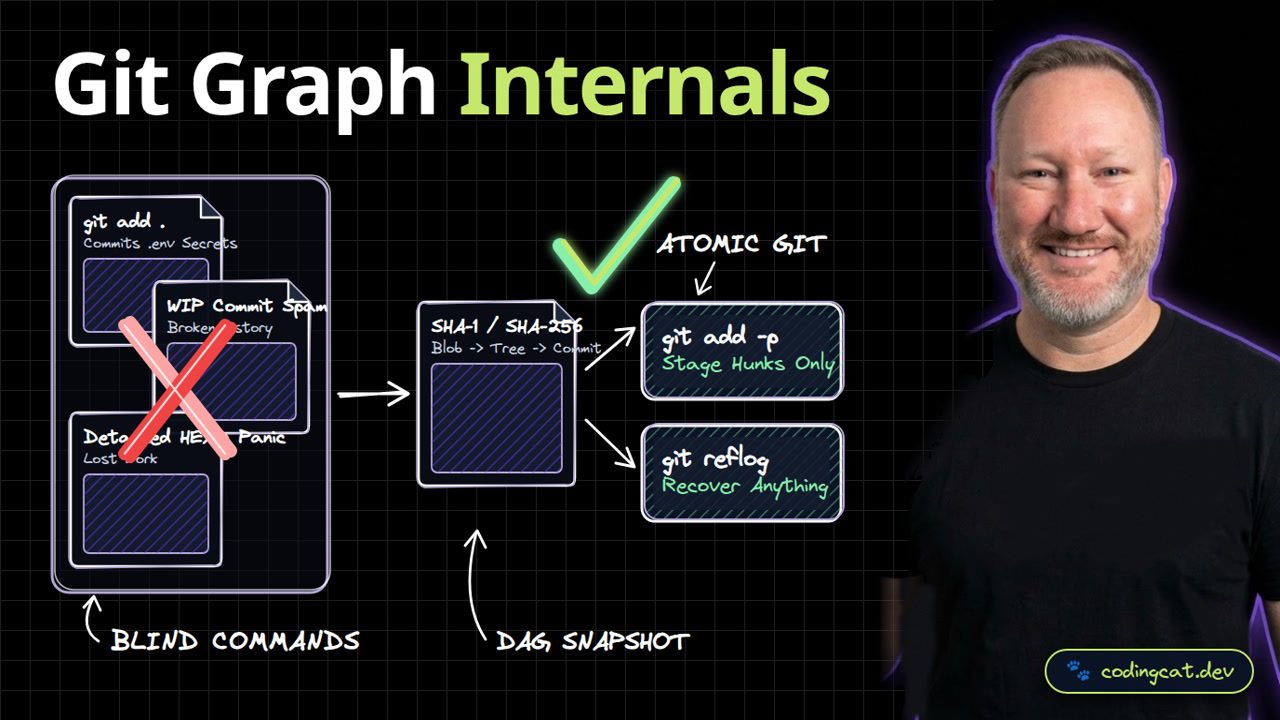
1. The 15-Second Hook
Once you realize Git is just a directed acyclic graph of immutable snapshots and pointer files, you will never fear a detached HEAD or a bad reset again. Let's look under the hood of Git.
2. Architecture Mental Model (Visual Diagram)
On the left, running git add dot blindly commits secrets and messy WIP history. On the right, Git hashes file blobs into trees and commits, while git add dash p and git reflog give you surgical control.
3. Show Me the Code (terminal-git-internals.sh)
# Stage individual hunks interactively
git add -p src/mcp/transport.ts

# Inspect the underlying commit tree object
git cat-file -p HEAD

# Recover any unreachable commit via reflog
git reflog --date=relative -n 5
In our terminal workflow, git add -p stages specific code hunks interactively, git cat-file -p HEAD inspects the commit snapshot, and git reflog recovers any previous HEAD state.
4. Production Trade-Off Matrix
Comparing interactive hunk staging and reflog awareness against blind git add dot, you keep your commit history bisectable and never lose local work.
5. Verdict & AJ Pro-Tip
AJ Pro-Tip: If you ever think you destroyed a branch with git reset --hard, run git reflog immediately: Git keeps every local commit hash for at least 30 days.
Master git add -p and git reflog first. Subscribe to CodingCat.dev and let's tackle branching and rebasing in Lesson 2.
how this course connects together.
Follow AJ from first principles to production-ready architecture.