Architecting the Agent-Ready Web: Combining Client-Side WebMCP, Streamable HTTP MCP, and RFC 9727 Discovery
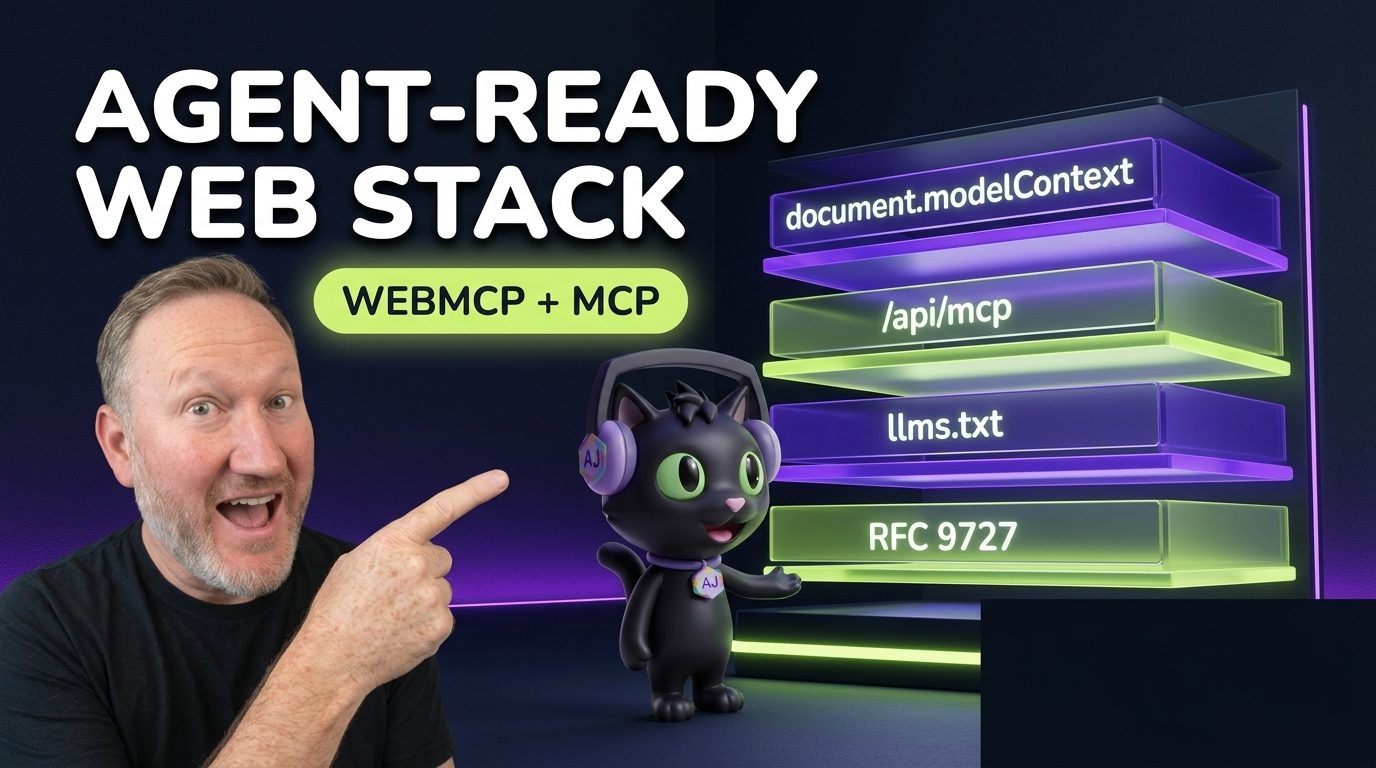

how this post connects together.
Follow AJ from first principles to production-ready architecture.
Over the past year, a new class of traffic has arrived on every developer documentation site, media platform, and SaaS application: autonomous coding agents, browser assistants, and MCP clients. Yet most websites still serve bloated 250KB HTML bundles to headless agents and force in-tab browser assistants to guess CSS selectors. On CodingCat.dev and alexpatterson.dev, we engineered a dual-plane Agent-Ready Web Architecture that serves both in-browser AI agents (via WebMCP) and external CLI/cloud agents (via Streamable HTTP MCP, RFC 9727 API Catalogs, and Accept: text/markdown content negotiation).
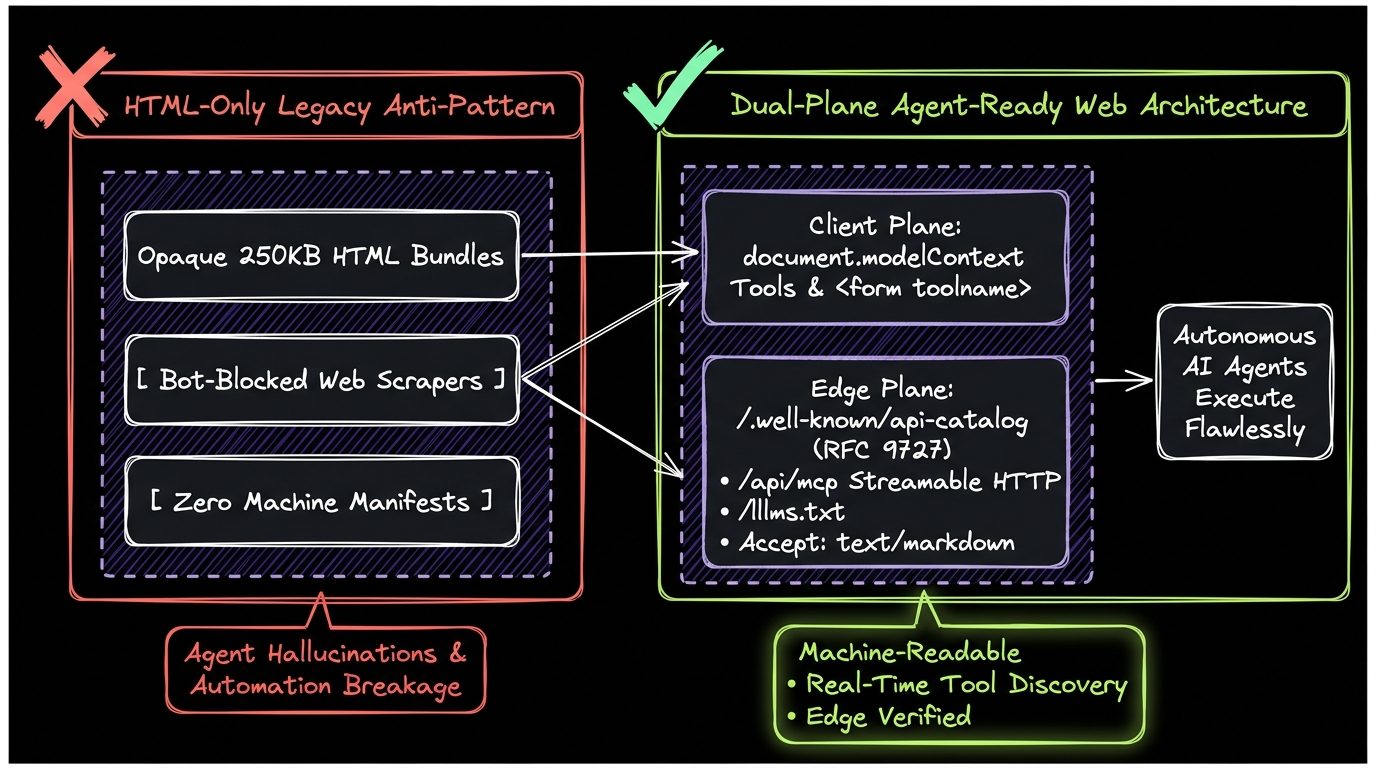
The Dual-Plane Architecture: Client Plane (WebMCP) + Edge Plane (HTTP MCP & RFC 9727)
Why do you need both WebMCP and Streamable HTTP MCP? Because AI agents interact with your web property from two completely different execution contexts:
- 1. The Client Browser Plane (In-Tab Agents): When a user opens your site in Chrome and asks their built-in browser assistant to search tutorials, filter courses, or grab a speaker kit, the agent is already inside the DOM sandbox. Exposing
document.modelContext.registerTool()and declarative<form toolname="...">tools lets the browser assistant execute actions in 0ms using the user's existing cookies and UI state. - 2. The Edge Network Plane (Headless & IDE Agents): When a developer in Cursor, Claude Code, or Google Antigravity points their agent at
https://codingcat.dev, there is no browser DOM. That agent discovers capabilities via RFC 8288 HTTPLinkheaders, reads/llms.txtor requestsAccept: text/markdown, and calls tools over JSON-RPC atPOST /api/mcp.
The 5 Pillars of an Agent-Ready Web Application
| Protocol / Standard | Live Endpoint on CodingCat.dev | Target Agent Runtime | Token & Latency Impact |
|---|---|---|---|
| W3C WebMCP (Imperative & Declarative) | document.modelContext & <form toolname> | In-Browser AI Assistants (Chrome AI, Extensions) | Reduces DOM scraping tokens by 90%; 0ms in-tab execution. |
| Streamable HTTP MCP | POST /api/mcp & /.well-known/mcp/server-card.json | IDE & Cloud Agents (Antigravity, Cursor, Claude Code) | Stateless JSON-RPC 2.0 tool execution at the Cloudflare Edge. |
| Markdown Content Negotiation | Accept: text/markdown or /post/[slug]/index.md | LLM Crawlers & RAG Pipelines | Cuts payload size from 180KB HTML to 6KB clean Markdown. |
| RFC 9727 API Catalog & Link Headers | /.well-known/api-catalog & HTTP Link Header | Autonomous Discovery Scanners | Zero-guesswork capability discovery on any HTTP HEAD/GET. |
| Scoped LLM Directories | /llms.txt, /blog/llms.txt, /podcasts/llms.txt | Context-Window-Bounded Answer Engines | Provides hierarchical site map optimized for LLM context windows. |
Sharing One Tool Schema Across Browser WebMCP and Edge HTTP MCP
The cleanest architectural pattern we discovered while building CodingCat.dev's agent layer is defining a single canonical tool contract in TypeScript and binding it to both document.modelContext.registerTool() on the client and your Astro /api/mcp JSON-RPC route on the edge:
// src/lib/mcp/shared-search-tool.ts
export const SEARCH_CONTENT_TOOL_SCHEMA = {
  name: "search_content",
  description:
    "Search CodingCat.dev Courses, Podcasts, and Blog Posts by keyword or topic",
  annotations: {
    readOnlyHint: true,
    untrustedContentHint: true,
  },
  inputSchema: {
    type: "object" as const,
    properties: {
      query: {
        type: "string",
        description: "Search keyword (e.g. WebMCP, Gemini Nano, WebGPU, Astro, Sanity)",
      },
    },
    required: ["query"],
  },
};

// 1. Client-side binding for Browser WebMCP (document.modelContext)
export function registerClientWebMcpSearch(origin = "") {
  const mc =
    (typeof document !== "undefined" && (document as any).modelContext) ||
    (typeof navigator !== "undefined" && (navigator as any).modelContext);
  if (!mc || typeof mc.registerTool !== "function") return;

  mc.registerTool({
    ...SEARCH_CONTENT_TOOL_SCHEMA,
    execute: async ({ query }: { query: string }) => {
      const res = await fetch(`${origin}/api/search?q=${encodeURIComponent(query)}`);
      return await res.json();
    },
  });
}

// 2. Edge-side binding for Streamable HTTP MCP (POST /api/mcp)
export async function handleEdgeMcpToolCall(
  toolName: string,
  args: Record<string, unknown>,
  siteOrigin: string
) {
  if (toolName === SEARCH_CONTENT_TOOL_SCHEMA.name) {
    const query = String(args.query || "");
    const res = await fetch(`${siteOrigin}/api/search?q=${encodeURIComponent(query)}`);
    const data = await res.json();
    return {
      content: [{ type: "text", text: JSON.stringify(data, null, 2) }],
      isError: false,
    };
  }
  throw new Error(`Unknown MCP tool: ${toolName}`);
}
Step 2: Astro Middleware for RFC 8288 Discovery Headers and Markdown Negotiation
To make sure every agent discovers your WebMCP manifest, MCP server card, and Markdown endpoints automatically, attach RFC 8288 Link headers and inspect the Accept header in your Astro middleware:
// src/middleware.ts (Excerpt from CodingCat.dev production middleware)
import { defineMiddleware } from "astro:middleware";

export const onRequest = defineMiddleware(async (context, next) => {
  const origin = context.url.origin;
  const accept = context.request.headers.get("accept") || "";

  // If an AI agent sends Accept: text/markdown, rewrite transparently to the .md route
  if (
    accept.includes("text/markdown") &&
    !context.url.pathname.endsWith(".md") &&
    !context.url.pathname.startsWith("/api/")
  ) {
    const mdPath =
      context.url.pathname === "/" ? "/index.md" : `${context.url.pathname}/index.md`;
    return context.rewrite(mdPath);
  }

  const response = await next();
  response.headers.append(
    "Link",
    [
      `<${origin}/.well-known/api-catalog>; rel="api-catalog"`,
      `<${origin}/.well-known/mcp/server-card.json>; rel="mcp-server-card"`,
      `<${origin}/llms.txt>; rel="llms-txt"`,
      `<${origin}/AGENTS.md>; rel="agent-guide"`,
    ].join(", ")
  );
  return response;
});
Try the Live Browser AI & WebMCP Playground
You can test every pattern from this article live right now in our interactive Web AI & WebMCP Playground on CodingCat.dev, or inspect our production discovery manifests on the Developers & Agent APIs page. If you are organizing a developer conference or engineering summit, check out my Web AI talk abstracts on alexpatterson.dev and explore more hands-on Courses, Podcasts, and Blog Posts right here on CodingCat.dev.