Chrome Built-in AI and Gemini Nano: A Production Guide to the Prompt, Summarizer, and Rewriter APIs
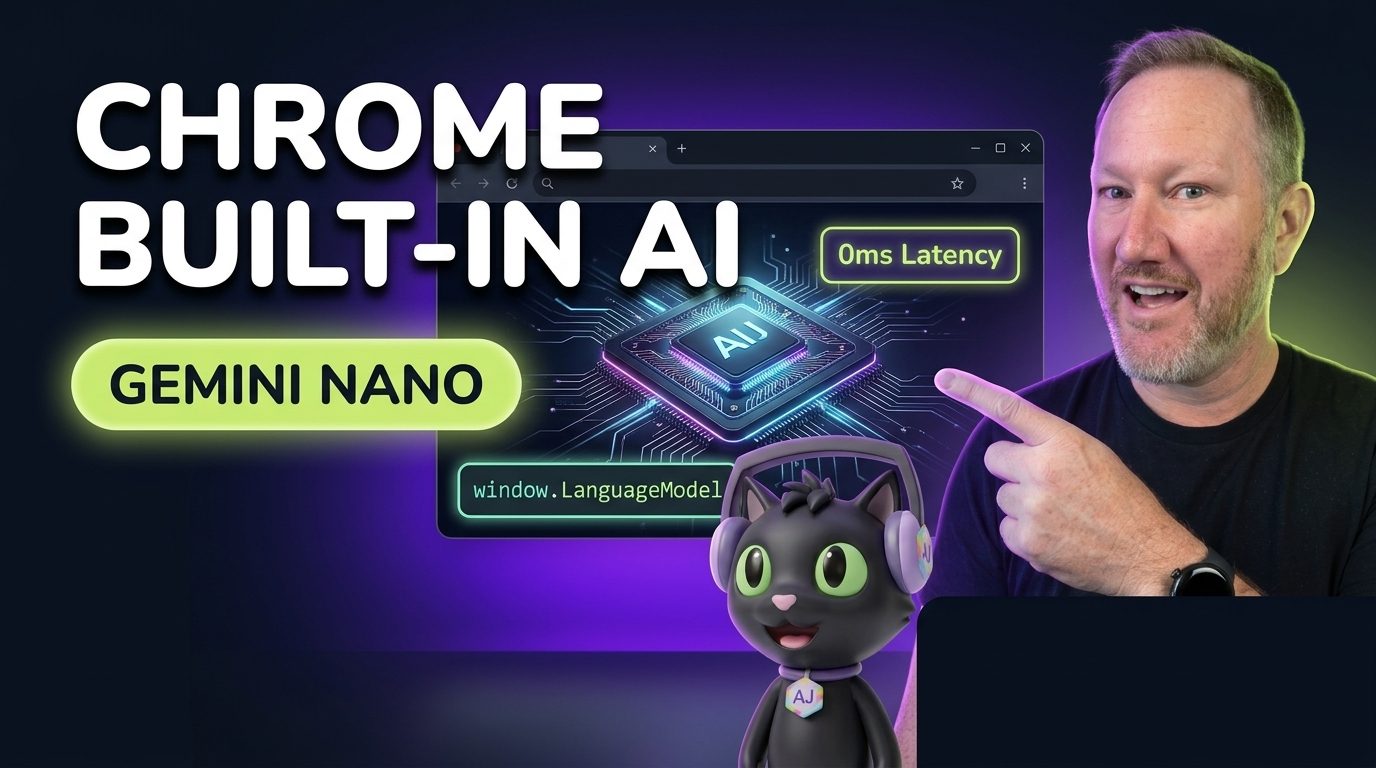

how this post connects together.
Follow AJ from first principles to production-ready architecture.
For the past two years, adding a simple text summarizer, tone rewriter, or draft assistant to a web application meant standing up a server-side proxy, managing API keys, paying per million tokens, and eating a 450ms network roundtrip on every single user interaction. With Chrome Built-in AI shipping Gemini Nano directly inside the browser binary, web developers can now run foundation model inference on the user's local GPU or NPU with zero token cost, zero server egress, and full offline capability.
In this guide, we will break down how Chrome's Built-in AI architecture works under the hood, walk through the LanguageModel (Prompt API), Summarizer, Rewriter, and Translator Web APIs in TypeScript, and show how we wire up progressive model download telemetry and session cloning in Astro and React.
The Mental Model: Why Move Inference into the Browser Sandbox?
When you bundle your own WebAssembly or WebGPU weights per origin, every website forces the user to download a separate 1.5GB model file. Chrome Built-in AI solves the cold-cache problem at the browser level: Chrome downloads and updates a single shared Gemini Nano checkpoint managed by the browser'sOptimization Guide service, and exposes task-specific and general-purpose JavaScript interfaces to any origin that requests them.
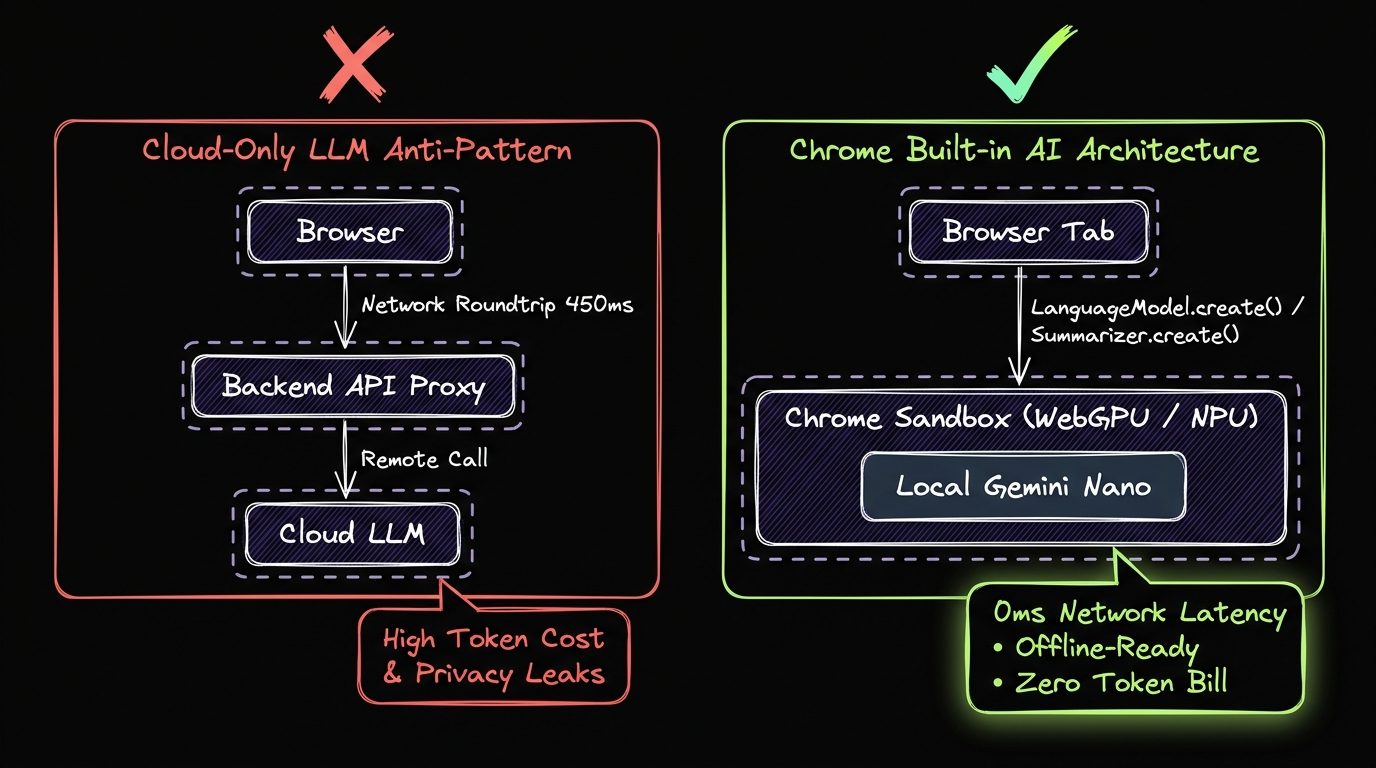
Chrome Built-in AI API Surface Comparison
Rather than forcing every developer to write brittle system prompts for common text transformations, Chrome splits Built-in AI into high-level task APIs and the flexible LanguageModel Prompt API:
| Browser API | Global Interface | Primary Configuration Options | Ideal Production Workload |
|---|---|---|---|
| Prompt API | window.LanguageModel | systemPrompt, initialPrompts, temperature, topK, responseConstraint (JSON Schema) | Custom structured extraction, interactive chat, and classification with JSON Schema output constraints. |
| Summarizer API | window.Summarizer | type ('key-points' | 'tldr' | 'teaser' | 'headline'), format ('markdown' | 'plain-text'), length | Summarizing long documentation pages, podcast transcripts, or comment threads client-side. |
| Writer & Rewriter APIs | window.Writer / window.Rewriter | tone ('more-formal' | 'more-casual' | 'as-is'), length ('shorter' | 'longer'), sharedContext | Inline rich-text editor helpers in Sanity Studio, support ticket polishing, and PR descriptions. |
| Translator & LanguageDetector | window.Translator / window.LanguageDetector | sourceLanguage, targetLanguage (BCP-47 tags) | Instant privacy-preserving localization of user-generated content without cloud translation fees. |
Step 1: Probing Availability and Handling Model Downloads
Never assume the local model weights are already cached on disk. Before calling LanguageModel.create(), always inspect LanguageModel.availability() (which returns 'available', 'downloadable', 'downloading', or 'unavailable') and attach a monitor callback to surface download progress in your UI:
// src/lib/ai/chrome-language-model.ts
export type BuiltInAvailability = "available" | "downloadable" | "downloading" | "unavailable";

export interface PromptSessionOptions {
  systemPrompt?: string;
  temperature?: number;
  topK?: number;
  onDownloadProgress?: (loadedRatio: number) => void;
  signal?: AbortSignal;
}

interface ChromeLanguageModelFactory {
  availability(options?: Record<string, unknown>): Promise<BuiltInAvailability>;
  params(): Promise<{ defaultTemperature: number; maxTemperature: number; defaultTopK: number; maxTopK: number }>;
  create(options?: Record<string, unknown>): Promise<ChromeLanguageModelSession>;
}

export interface ChromeLanguageModelSession {
  prompt(input: string, options?: { responseConstraint?: object; signal?: AbortSignal }): Promise<string>;
  promptStreaming(input: string, options?: { responseConstraint?: object; signal?: AbortSignal }): ReadableStream<string>;
  measureInputUsage(input: string): Promise<number>;
  readonly inputUsage: number;
  readonly inputQuota: number;
  clone(options?: { signal?: AbortSignal }): Promise<ChromeLanguageModelSession>;
  destroy(): void;
}

function getLanguageModelFactory(): ChromeLanguageModelFactory | null {
  const g = globalThis as unknown as {
    LanguageModel?: ChromeLanguageModelFactory;
    ai?: { languageModel?: ChromeLanguageModelFactory };
  };
  return g.LanguageModel ?? g.ai?.languageModel ?? null;
}

export async function createBrowserPromptSession(
  options: PromptSessionOptions = {}
): Promise<ChromeLanguageModelSession | null> {
  const factory = getLanguageModelFactory();
  if (!factory) return null;

  const status = await factory.availability();
  if (status === "unavailable") {
    return null;
  }

  const defaults = await factory.params();
  return await factory.create({
    systemPrompt:
      options.systemPrompt ??
      "You are a concise, code-first web architecture assistant on CodingCat.dev.",
    temperature: options.temperature ?? defaults.defaultTemperature,
    topK: options.topK ?? defaults.defaultTopK,
    signal: options.signal,
    monitor(m: EventTarget) {
      m.addEventListener("downloadprogress", (event: Event) => {
        const e = event as unknown as { loaded?: number; total?: number };
        if (typeof e.loaded === "number" && options.onDownloadProgress) {
          const ratio = e.total ? e.loaded / e.total : e.loaded;
          options.onDownloadProgress(Math.min(1, Math.max(0, ratio)));
        }
      });
    },
  });
}
Step 2: Structured JSON Output with responseConstraint and Session Cloning
Two of the most impactful capabilities in Chrome's Prompt API are responseConstraint (which forces Gemini Nano's token sampler to adhere strictly to a JSON Schema without hallucinating invalid syntax) and session.clone() (which forks the KV-cache of an initialized system prompt so you can process multiple items without re-evaluating the system context). Here is how we combine both to classify and tag technical tutorials client-side:
// src/lib/ai/classify-article-client.ts
import { createBrowserPromptSession } from "./chrome-language-model";

const TAG_EXTRACTION_SCHEMA = {
  type: "object",
  properties: {
    primaryPillar: {
      type: "string",
      enum: ["Courses", "Podcasts", "Blog"],
    },
    difficulty: {
      type: "string",
      enum: ["beginner", "intermediate", "advanced"],
    },
    technicalTags: {
      type: "array",
      items: { type: "string" },
      maxItems: 5,
    },
    oneSentenceSummary: {
      type: "string",
    },
  },
  required: ["primaryPillar", "difficulty", "technicalTags", "oneSentenceSummary"],
  additionalProperties: false,
};

export async function analyzeDraftInBrowser(markdownDraft: string) {
  const baseSession = await createBrowserPromptSession({
    systemPrompt:
      "Analyze developer tutorials for CodingCat.dev and extract structured metadata.",
  });

  if (!baseSession) {
    throw new Error("Chrome Built-in AI (Gemini Nano) is not available on this device.");
  }

  try {
    // Check token budget before prompting so we never blow the context window
    const tokenCost = await baseSession.measureInputUsage(markdownDraft);
    const remainingTokens = baseSession.inputQuota - baseSession.inputUsage;
    const boundedInput =
      tokenCost > remainingTokens ? markdownDraft.slice(0, 6000) : markdownDraft;

    // Clone the warm session so repeated runs reuse the system prompt KV cache
    const workerSession = await baseSession.clone();
    try {
      const rawJson = await workerSession.prompt(
        `Extract metadata for this draft:\n\n${boundedInput}`,
        { responseConstraint: TAG_EXTRACTION_SCHEMA }
      );
      return JSON.parse(rawJson);
    } finally {
      workerSession.destroy();
    }
  } finally {
    baseSession.destroy();
  }
}
Step 3: Streaming Key-Point Summaries with the Summarizer API
When you specifically need TL;DR bullet points or executive summaries on a Blog Post or Podcast Episode transcript, use window.Summarizer instead of the raw Prompt API. Chrome tunes the underlying LoRA / task prompt specifically for factual density:
// src/lib/ai/summarize-transcript.ts
export async function streamTranscriptKeyPoints(
  transcriptText: string,
  onChunk: (partialMarkdown: string) => void
): Promise<string> {
  const SummarizerApi = (globalThis as Record<string, any>).Summarizer;
  if (!SummarizerApi) {
    throw new Error("Summarizer API is not supported in this browser.");
  }

  const availability = await SummarizerApi.availability();
  if (availability === "unavailable") {
    throw new Error("Summarizer model is unavailable on this hardware.");
  }

  const summarizer = await SummarizerApi.create({
    type: "key-points",
    format: "markdown",
    length: "medium",
    sharedContext:
      "This is a technical software engineering tutorial from CodingCat.dev.",
  });

  try {
    const stream: ReadableStream<string> = summarizer.summarizeStreaming(transcriptText, {
      context: "Focus on architectural trade-offs, browser APIs, and production benchmarks.",
    });

    const reader = stream.getReader();
    let accumulated = "";
    while (true) {
      const { done, value } = await reader.read();
      if (done) break;
      // Handle both cumulative and delta streaming implementations across Chrome releases
      accumulated = value.startsWith(accumulated) ? value : accumulated + value;
      onChunk(accumulated);
    }
    return accumulated;
  } finally {
    if (typeof summarizer.destroy === "function") {
      summarizer.destroy();
    }
  }
}
AJ Pro-Tip: User Activation and Context Quotas
AJ Pro-Tip: Always Gate Model Creation Behind Transient User Activation. Whenavailability()returns'downloadable', Chrome requires a transient user gesture (such as aclickevent) beforeLanguageModel.create()orSummarizer.create()will initiate the background weight download. Callavailability()on page load to render your button state, and callcreate()inside the button's click handler while monitoringsession.inputUsage / session.inputQuotaso long conversations never overflow Gemini Nano's local context window.
Try the Live Browser AI & WebMCP Playground
You can test every pattern from this article live right now in our interactive Web AI & WebMCP Playground on CodingCat.dev, or inspect our production discovery manifests on the Developers & Agent APIs page. If you are organizing a developer conference or engineering summit, check out my Web AI talk abstracts on alexpatterson.dev and explore more hands-on Courses, Podcasts, and Blog Posts right here on CodingCat.dev.