Zero-Backend Client-Side RAG in the Browser with WebGPU, Transformers.js, MediaPipe, and OPFS
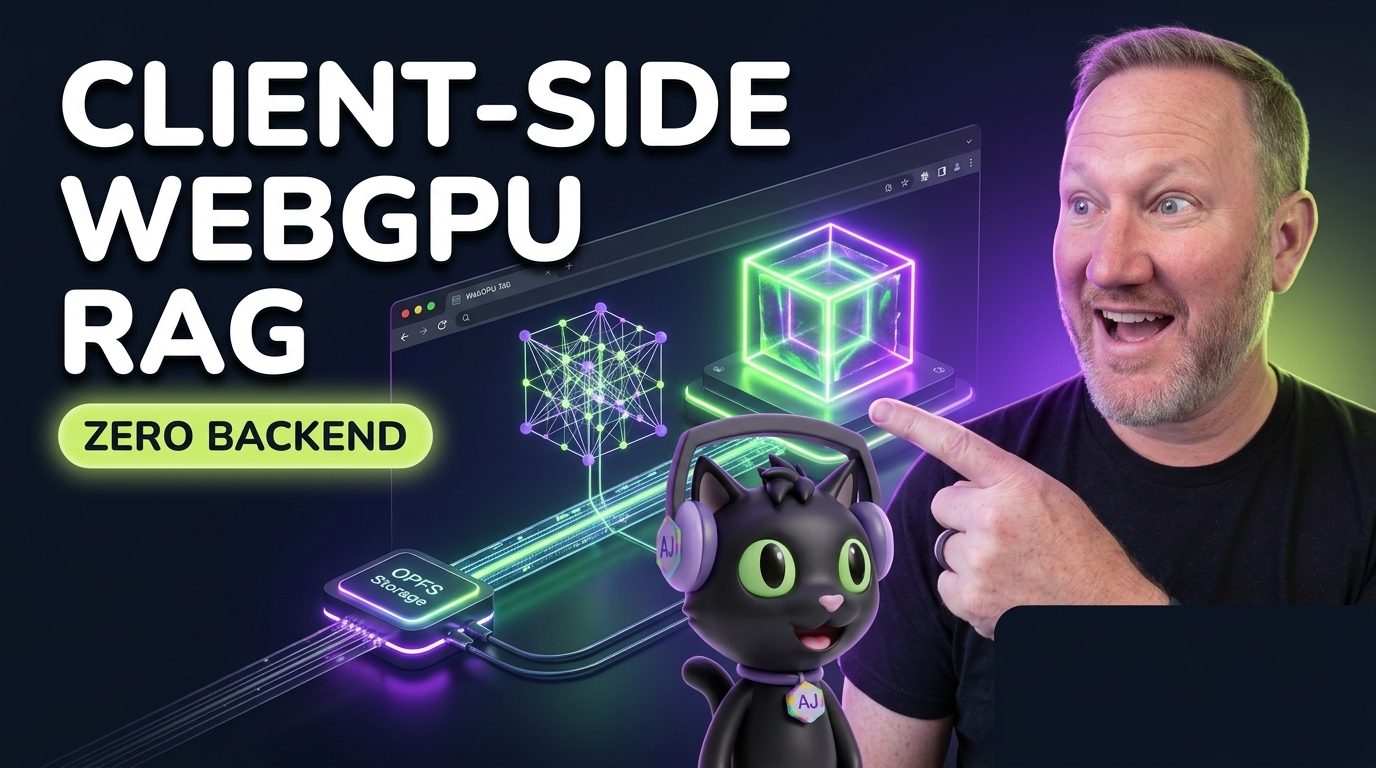

how this post connects together.
Follow AJ from first principles to production-ready architecture.
Most teams building semantic search or Retrieval-Augmented Generation (RAG) for documentation portals reach straight for a cloud vector database and an external embedding API. That works fine until you need instant sub-10ms keystroke search, offline availability, or strict zero-egress privacy for user documents. With WebGPU compute shaders, Transformers.js v3, Google MediaPipe, and the Origin Private File System (OPFS), you can run the entire embedding, vector indexing, and synthesis pipeline directly inside the user's browser tab.
The Mental Model: Local WebGPU Shaders + OPFS Binary Vector Cache
Why did client-side embeddings feel sluggish three years ago? Because running matrix multiplication on a single JavaScript main thread blocks UI rendering, and WebGL was designed for rasterizing triangles rather than general-purpose tensor math. WebGPU gives browser Web Workers direct access to GPU compute pipelines (GPUBuffer and WGSL compute shaders), while OPFS provides high-throughput binary file storage so quantized ONNX models and pre-computed Float32Array vector indexes load from disk in milliseconds on repeat visits.
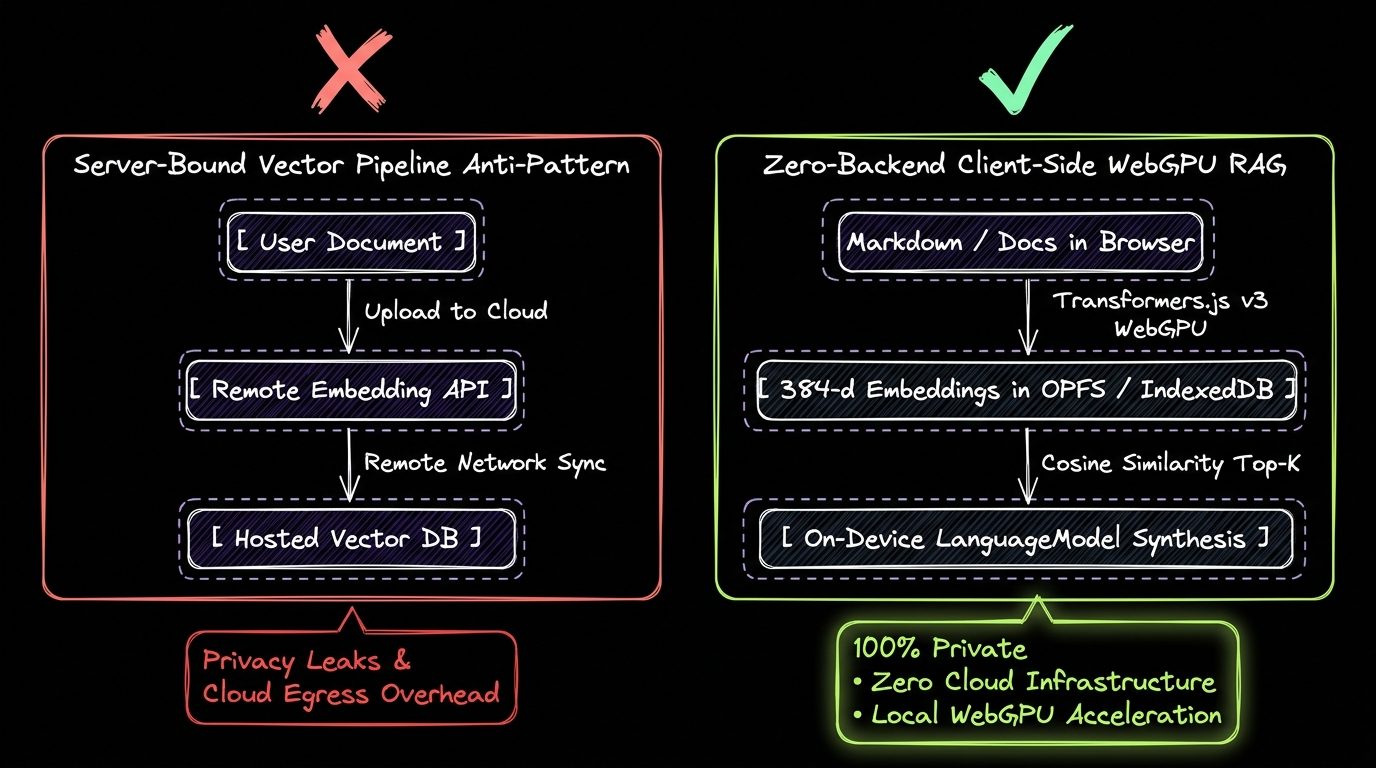
Browser Compute Runtimes Comparison: WebAssembly vs. WebGL vs. WebGPU vs. WebNN
| Browser Compute Backend | Hardware Target | 384-d Embedding Latency (Batch=1) | Quantization Support & Best Use Case |
|---|---|---|---|
| WASM SIMD (Threads) | Multi-core CPU | 18ms to 45ms | q8 / int8 universal fallback for devices without discrete or integrated WebGPU. |
| WebGL 2.0 | Legacy GPU Fragment Shaders | 12ms to 30ms | fp16 / fp32 texture hacks; lacks native storage buffers and compute workgroups. |
| WebGPU (navigator.gpu) | Modern GPU Compute Units | 1.8ms to 5.5ms | q4f16 / fp16 / int8 via WGSL compute shaders; ideal for Transformers.js v3 and MediaPipe. |
| WebNN (navigator.ml) | Dedicated NPU / OS ML Accelerator | 1.2ms to 4.0ms | Direct OS-level graph compilation (DirectML, CoreML, NNAPI) for ultra-low battery drain. |
Step 1: Generating 384-Dimensional Embeddings on WebGPU in a Web Worker
To keep Main Thread Interaction to Next Paint (INP) under 16ms, always initialize your embedding pipeline inside a dedicated Web Worker and probe navigator.gpu.requestAdapter() to select device: 'webgpu' with graceful fallback to 'wasm':
// src/workers/embedding-worker.ts
import { pipeline, env, type FeatureExtractionPipeline } from "@huggingface/transformers";

// Cache quantized ONNX weights in the browser Cache API / OPFS
env.allowLocalModels = false;
env.useBrowserCache = true;

let extractorPromise: Promise<FeatureExtractionPipeline> | null = null;

async function detectOptimalDevice(): Promise<"webgpu" | "wasm"> {
  if (typeof navigator !== "undefined" && "gpu" in navigator) {
    try {
      const adapter = await (navigator as unknown as { gpu: GPU }).gpu.requestAdapter();
      if (adapter) return "webgpu";
    } catch (_) {
      // Fallback to WASM SIMD
    }
  }
  return "wasm";
}

export async function getEmbeddingExtractor(): Promise<FeatureExtractionPipeline> {
  if (!extractorPromise) {
    const device = await detectOptimalDevice();
    extractorPromise = pipeline(
      "feature-extraction",
      "Snowflake/snowflake-arctic-embed-xs",
      {
        device,
        dtype: device === "webgpu" ? "fp16" : "q8",
      }
    );
  }
  return extractorPromise;
}

export async function embedTextToFloat32(text: string): Promise<Float32Array> {
  const extractor = await getEmbeddingExtractor();
  const output = await extractor(text, {
    pooling: "cls",
    normalize: true,
  });
  return new Float32Array(output.data as Float32Array);
}
Step 2: Persisting Binary Vector Indexes in Origin Private File System (OPFS)
Storing thousands of JSON-serialized float arrays in localStorage or naive IndexedDB object stores creates massive serialization overhead. Instead, pack your normalized Float32Array embeddings contiguously into a binary file inside navigator.storage.getDirectory() (OPFS) and run a single-pass dot-product scan:
// src/lib/vector/opfs-vector-index.ts
export interface VectorMetadata {
  id: string;
  title: string;
  slug: string;
  excerpt: string;
}

export class OpfsFlatVectorIndex {
  private readonly dim: number;
  private vectors: Float32Array = new Float32Array(0);
  private docs: VectorMetadata[] = [];

  constructor(dimensions = 384) {
    this.dim = dimensions;
  }

  async saveToOpfs(filename = "codingcat-vectors-384d.bin"): Promise<void> {
    const root = await navigator.storage.getDirectory();
    const fileHandle = await root.getFileHandle(filename, { create: true });
    const writable = await fileHandle.createWritable();
    await writable.write(this.vectors.buffer);
    await writable.close();

    const metaHandle = await root.getFileHandle(`${filename}.meta.json`, { create: true });
    const metaWritable = await metaHandle.createWritable();
    await metaWritable.write(JSON.stringify(this.docs));
    await metaWritable.close();
  }

  async loadFromOpfs(filename = "codingcat-vectors-384d.bin"): Promise<boolean> {
    try {
      const root = await navigator.storage.getDirectory();
      const fileHandle = await root.getFileHandle(filename);
      const file = await fileHandle.getFile();
      const arrayBuffer = await file.arrayBuffer();
      this.vectors = new Float32Array(arrayBuffer);

      const metaHandle = await root.getFileHandle(`${filename}.meta.json`);
      const metaFile = await metaHandle.getFile();
      this.docs = JSON.parse(await metaFile.text()) as VectorMetadata[];
      return true;
    } catch {
      return false;
    }
  }

  /**
   * Since embeddings are L2-normalized at extraction time,
   * Cosine Similarity equals the raw dot product.
   */
  searchTopK(queryVec: Float32Array, k = 5): Array<VectorMetadata & { score: number }> {
    const count = this.docs.length;
    const dim = this.dim;
    const scores: Array<{ idx: number; score: number }> = [];

    for (let i = 0; i < count; i++) {
      const offset = i * dim;
      let dot = 0;
      for (let d = 0; d < dim; d++) {
        dot += queryVec[d] * this.vectors[offset + d];
      }
      scores.push({ idx: i, score: dot });
    }

    scores.sort((a, b) => b.score - a.score);
    return scores.slice(0, k).map(({ idx, score }) => ({
      ...this.docs[idx],
      score,
    }));
  }
}
AJ Pro-Tip: Ship Pre-Computed Binary Embeddings from Your Astro Build
AJ Pro-Tip: Pre-Compute Corpus Embeddings at Build Time, Embed Only the Query in the Browser. Do not force every visitor's GPU to embed your entire 500-article blog archive on first page load. Generate yourcodingcat-vectors-384d.binbinary artifact once during your Astro static/SSR build (less than 750KB for 500 articles atFloat32or 375KB atFloat16), cache it in OPFS, and only run the WebGPU embedding pipeline on the user's 10-word search query.
Try the Live Browser AI & WebMCP Playground
You can test every pattern from this article live right now in our interactive Web AI & WebMCP Playground on CodingCat.dev, or inspect our production discovery manifests on the Developers & Agent APIs page. If you are organizing a developer conference or engineering summit, check out my Web AI talk abstracts on alexpatterson.dev and explore more hands-on Courses, Podcasts, and Blog Posts right here on CodingCat.dev.