
Slap Someone with Slack Commands

Slappy Slack
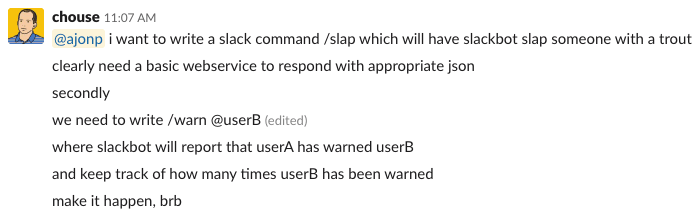
So one of the Purr-fect Peeps on the channel wanted a fun /slap command added to our Slack channel. I basically said, challange accepted! A quick Google search led me down the right path and found Spicefactory Slapbot. I cloned this and then started making some tweaks!
Installation
Note you could run this as a stand alone node server, but I chose to utilize Firebase Cloud Functions since the plan is to add some Machine Learning later.
Before continuing I am committing the files .firebaserc and firebase.json, mainly so I can keep making changes. For your project you will want to delete these files before you begin with the project setup and Firebase initialization.
Initialize Firebase
firebase init
When presented with your choices arrow down and hit space bar on Functions: Configure and deploy Cloud Functions.
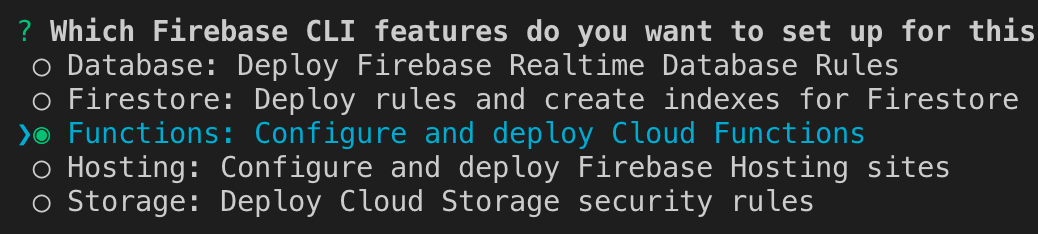
If you would like to start using a new project select Create a new project, for more info checkout Firebase Init Docs.
After that you can select Javascript
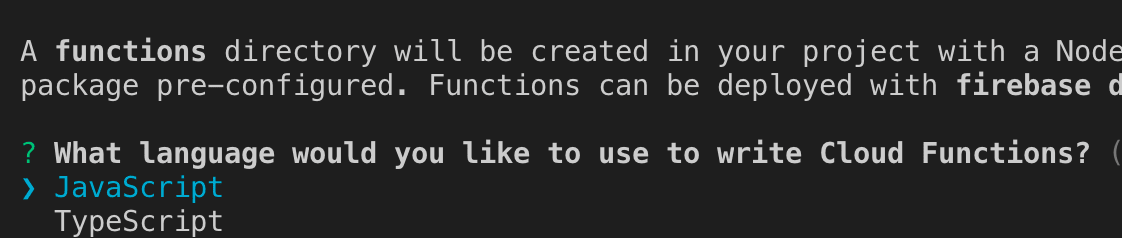
For the final settings select N (No) for everything except "Do you want to install dependencies with npm now?", for this Y (Yes).
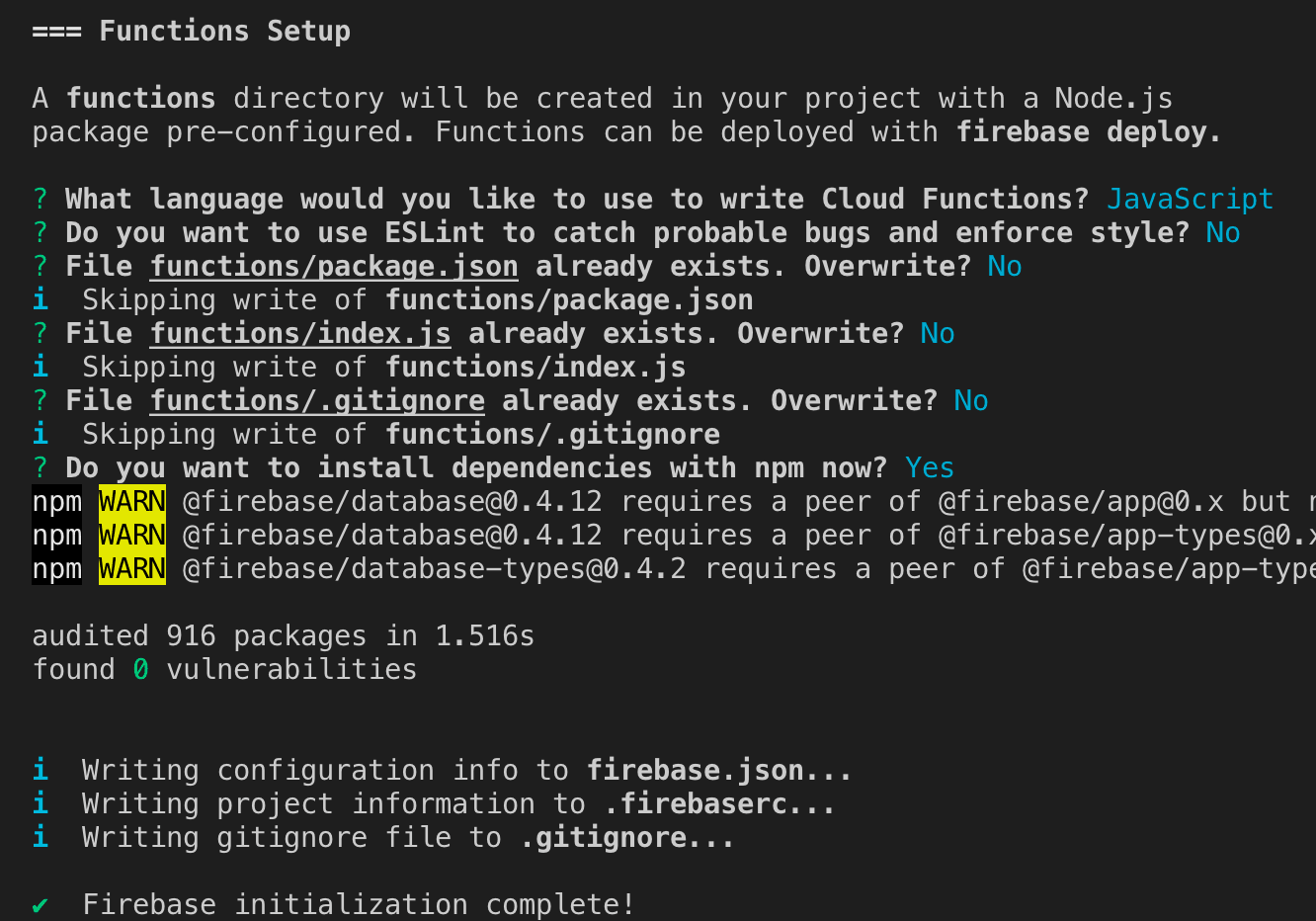
Now that you have this complete you should see two new files .firebaserc and firebase.json.
Deploy Functions
As it stands right now, this will allow you to test locally (not the intent of this lesson). What we really want is to deploy this to Firebase so that Slack can access it. Since our project should all be setup at this point we just use the deploy command.
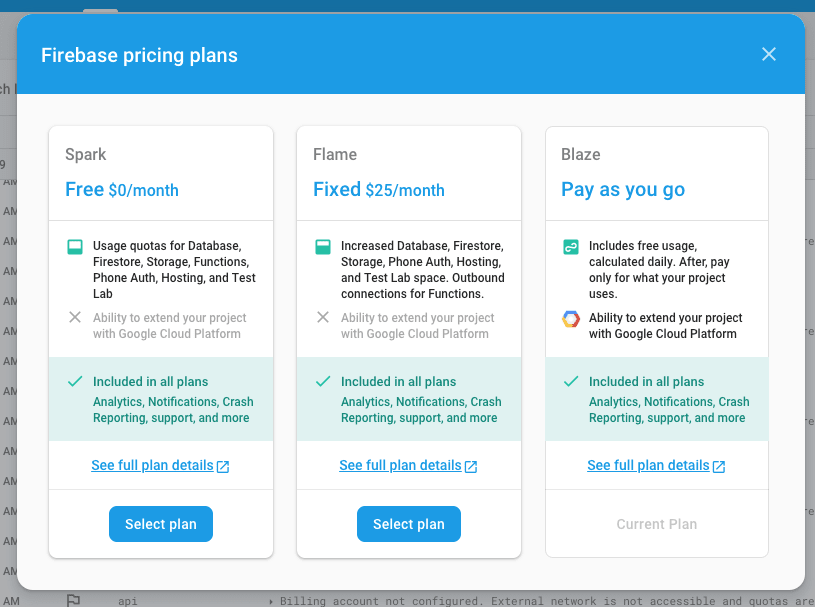
In order for us to access an external network you will need to switch your Firebase Subscription for this project, I recommend the Blaze plan as you will not get charged until you go over 125K Invocations a month, I don't know about your slack fans but that would be very impressive! You can select Modify project at the bottom left of the screen and it should open a modal like below.
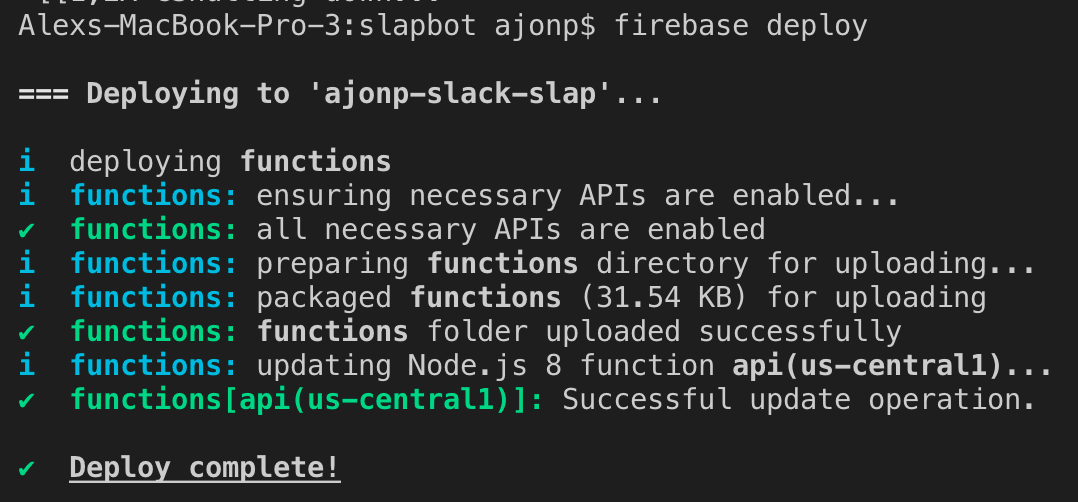
Now it is time to deploy our function:
firebase deploy
It should result in a successful creation of a cloud function with this output:
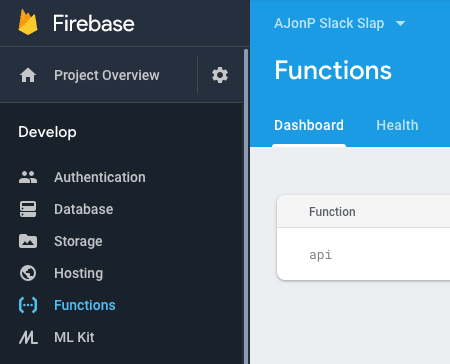
You can check in the Firebase Console under Develop->Functions
Example of local testing
firebase serve
This command will output where the emulator is running.
=== Serving from '/Users/ajonp/Documents/Web/slapbot'... ⚠ Your requested "node" version "8" doesn't match your global version "10" ✔ functions: Emulator started at http://localhost:5000 i functions: Watching "/Users/ajonp/Documents/Web/slapbot/functions" for Cloud Functions... ✔ functions[api]: http function initialized (http://localhost:5000/ajonp-slack-slap/us-central1/api).
So if you want to throw some curl commands at it you could like:
curl -X POST \ 'https://us-central1-ajonp-slack-slap.cloudfunctions.net/api/slap?callback=YOURCALLBACK' \ -H 'Content-Type: application/x-www-form-urlencoded' \ -H 'cache-control: no-cache' \ -d 'user_name=ajonp&text=slappy&channel_id=1234&undefined='
Slack Configuration
Go to Slack services section https://<your_slack_team>.slack.com/apps. For example https://ajonp-com.slack.com/apps.
Incoming Webhook
First we need a way to have Slack accept our /slap messages coming back into Slack's system for our account. We will add an inbound Webhook to allow this interaction to succeed.
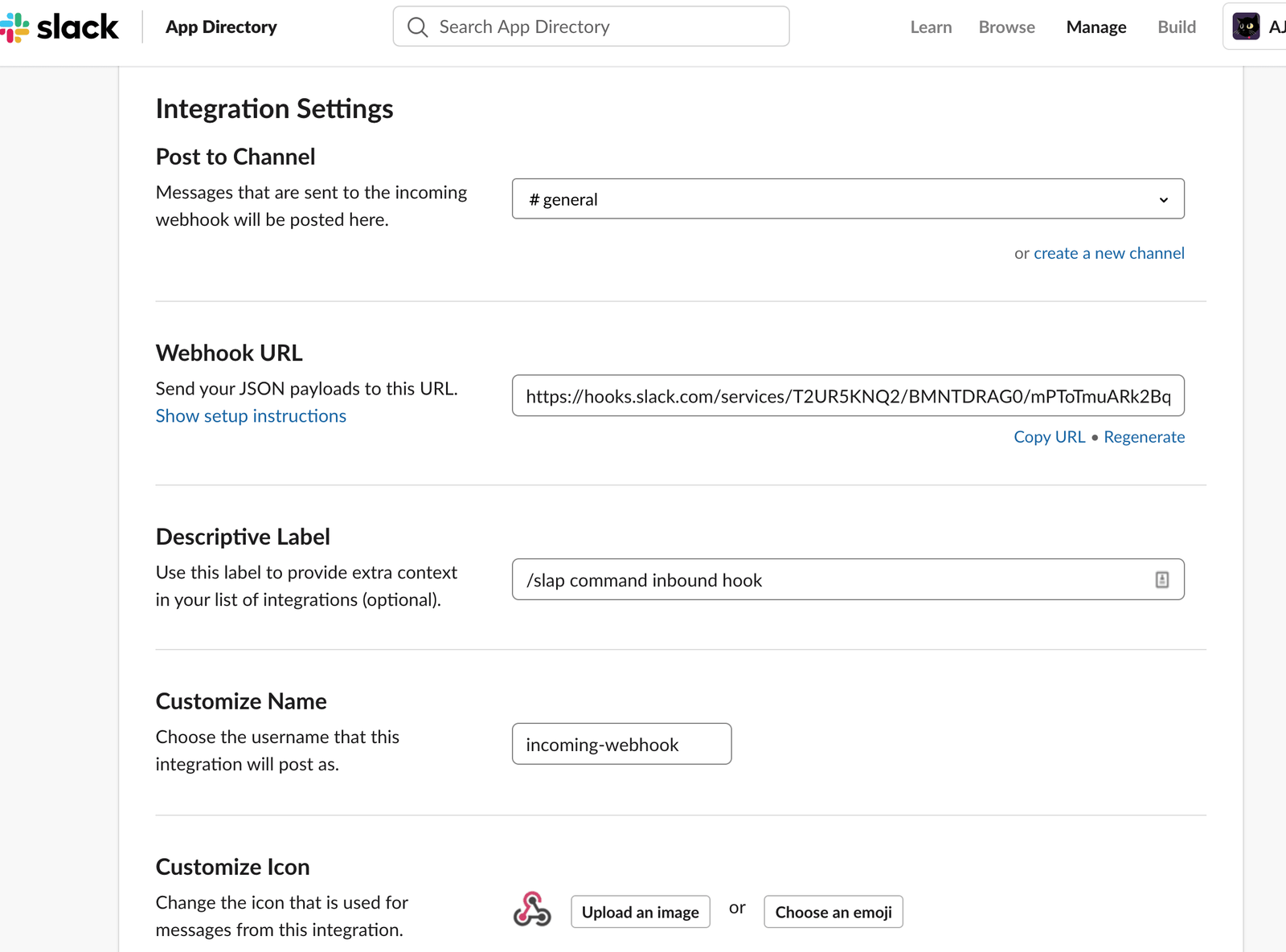
- Choose any channel to post to (don't worry, bot will use the channel you type in when you do your slapping)
- Copy and paste tha token part of the URL that you got (it will be something like :
https://hooks.slack.com/services/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
- So it would be the
/T2UR5KNQ2/BMNTDRAG0/mPToTmuARk2BqYhn93Izzbbbportion as we will need this for our slash command.
Slash Command App
Now we need to add and app for the slash command configuration.
Put in the URL your service url or you can use ours -> https://us-central1-ajonp-slack-slap.cloudfunctions.net/api/slap?callback=YOURCALLBACK.
Now you have a working bot with whom you can interact, but it is a private communication between you and him, so you could say that it is not that fun. Let's make it more fun!
- Take the part after
services, as in the above example it will be ->/T2UR5KNQ2/BMNTDRAG0/mPToTmuARk2BqYhn93Izzbbb - Go back to Slash Command and edit the URL to add the token part from above so it should be at the end something like
https://us-central1-ajonp-slack-slap.cloudfunctions.net/api/slap?callback=/T2UR5KNQ2/BMNTDRAG0/mPToTmuARk2BqYhn93Izzbbb.
BTW replace https://us-central1-ajonp-slack-slap.cloudfunctions.net/api with your url, or feel free to use this one.
Usage in Slack
In the easiest form you can just type:
This will tell slapbot to give Chris a big ol' slap with a fish emoji. You can also supply your own emoji by typing:
In this example, Chris will be slapped by the emoji ????. LOL!
By default, the bot will also include some banter at the end. Read on to learn how to configure this.
Configuring the bot behaviour
- To edit the random banter strings, change the
banterArrayvariable inhelpers.js. - To remove the banter, remove the
bantervariable from thetextproperty ofbotPayloadinserver.js. - To change the bot name or icon, change the
user_nameandicon_emojiproperty ofbotPayloadinserver.js. - To change the default emoji, change the
DEFAULT_EMOJIvariable inconstants.js.
Congratulations, enjoy slapping!
Resources, Links & Official Documentation
- Watch on YouTube: Slap Someone with Slack Commands Full Video (plus Subscribe to CodingCat.dev)
- 🎥 YouTube: https://link.ajonp.com/youtube
- 🌎 Site: https://link.ajonp.com/😺
- 📦 GitHub: https://link.ajonp.com/github
- 🎓Lessons: https://link.ajonp.com/lessons
- 🗞AJ’s Week in Web: https://link.ajonp.com/week-in-web
- 💬 Slack: https://link.ajonp.com/slack
- 🐦 Twitter: https://link.ajonp.com/twitter
- 💬 Slack: https://bit.ly/ajonp-slack-invite
- 🐦 Twitter: https://bit.ly/ajonp-twitter
- Firebase Documentation: Firestore, Data Connect, Authentication, App Check, and Cloud Functions
- MDN JavaScript Reference: ECMAScript specifications, Web APIs, and runtime fundamentals
- GitHub Documentation: Pull requests, GitHub Actions CI/CD, and repository security
Related CodingCat.dev Tutorials & Podcast Episodes
- RxFire in Svelte 3 using Firebase Firestore and Authentication: Introduction to Svelte3, Firebase, and RxFire. RxFire provides a set of observable creation methods. You simply call a function with some parameters to receive ...
- RxFire in ReactJS using Firebase Firestore and Authentication: Introduction to Create React App, Firebase, and RxFire. RxFire provides a set of observable creation methods. You simply call a function with some parameters to...
- Notion to Hashnode and Dev.to using Pub/Sub Cloud Functions: Depending on your goals cross posting with a canonical url can increase your user engagements 10x. I will show you an easy way to take your Notion articles out ...
Frequently Asked Questions (FAQ)
What are the main takeaways from Slap Someone with Slack Commands?
Deploying Firebase Cloud Function to use with Slack slash commands. Sending someone a /slap!. Slap Someone with Slack Commands: 🎓 Lesson: https://ajonp.com/lessons/slap-someone-with-slack-commands/ 🎥 YouTube: https://link.ajonp.com/youtube
🌎 Site: https://link.ajonp.com/😺
📦 GitHub: https://link.ajonp.com/github
🎓Lessons: https://link.ajonp.com/lessons
🗞AJ’s Week in Web: https://link.ajonp.com/week-in-web
💬 Slack: ht, how to add a slash command for slack what five fingers say that face slap the goal of this video is to cover how to add a slack custom command for this it's pretty funny one we're gonna do slash slap and the way that you can execute it is by including slash slap and then you do at someone so in this case Oh Doug and then if you don't add anything at the end it will just add the hand or the slap it... Throughout this post, Alex Patterson breaks down real-world implementation details for Firebase, JavaScript, GitHub so developers can apply these patterns directly in production.
How do you implement Firebase best practices in production?
When adopting Firebase and JavaScript in a production stack, start by validating your configuration against the Firebase Documentation (Firestore, Data Connect, Authentication, App Check, and Cloud Functions). Focus on incremental adoption, automated testing, and observability so your team can measure performance and developer velocity improvements at each stage.
Where can I watch the full Slap Someone with Slack Commands walkthrough and find related code resources?
You can watch the complete video session for Slap Someone with Slack Commands on the CodingCat.dev YouTube channel. For a deeper dive into Firebase, check out our related guide: RxFire in Svelte 3 using Firebase Firestore and Authentication.
✏️ Video Summary
Slap Someone with Slack Commands: 🎓 Lesson: https://ajonp.com/lessons/slap-someone-with-slack-commands/ 🎥 YouTube: https://link.ajonp.com/youtube 🌎 Site: https://link.ajonp.com/😺 📦 GitHub: https://link.ajonp.com/github 🎓Lessons: https://link.ajonp.com/lessons 🗞AJ’s Week in Web: https://link.ajonp.com/week-in-web 💬 Slack: ht — how to add a slash command for slack what five fingers say that face slap the goal of this video is to cover how to add a slack custom command for this it's pretty funny one we're gonna do slash slap and the way that you can execute it is by including slash slap and then you do at someone so in this case Oh Doug and then if you don't add anything at the end it will just add the hand or the slap it...
how this post connects together.
Follow AJ from first principles to production-ready architecture.