How the Web Works: DNS, HTTP/3, TLS & Browser DevTools
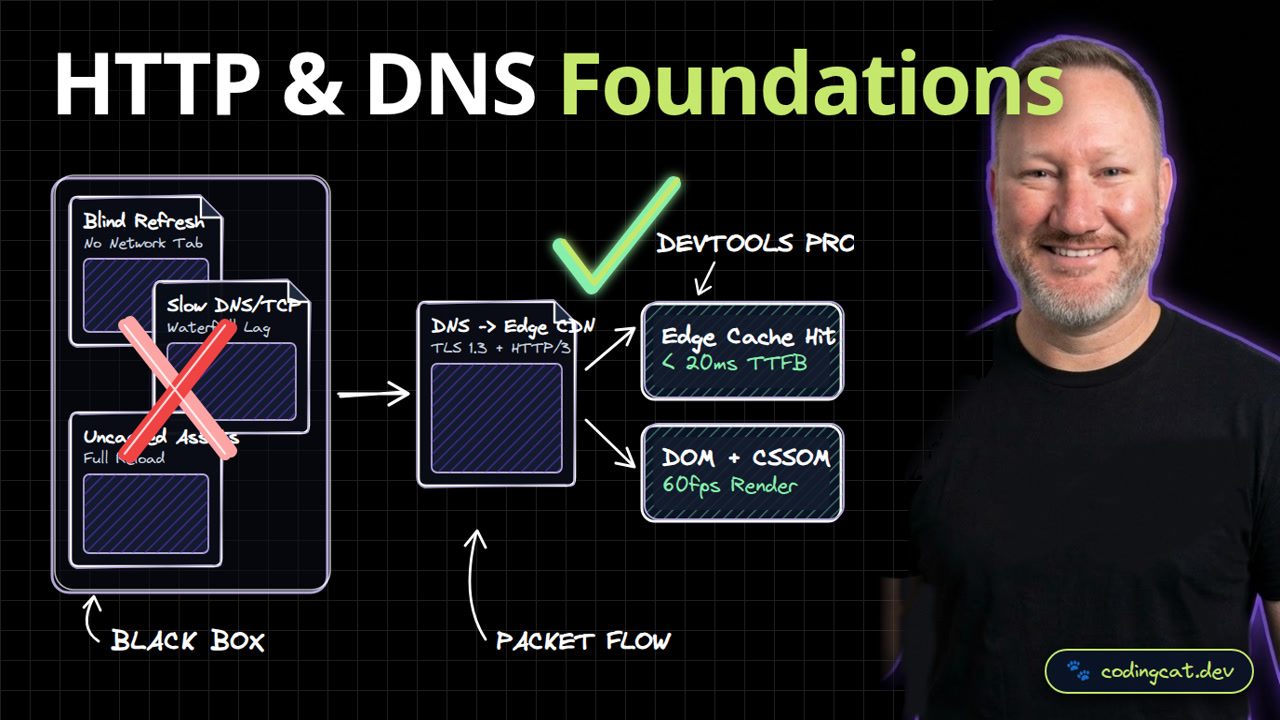
1. The 15-Second Hook
Before writing a single line of HTML or JavaScript, every great engineer needs to understand what actually happens when you type a URL into your browser. Let's trace DNS, TLS, HTTP/3, and the browser rendering pipeline.
2. Architecture Mental Model (Visual Diagram)
On the left, treating the network as a black box leads to slow waterfall stalls. On the right, DNS resolves to the nearest Edge CDN over HTTP/3 and feeds HTML into the DOM and CSSOM render tree.
3. Show Me the Code (src/network-inspect.ts)
export async function inspectResponseTiming(url: string) {
  const start = performance.now();
  const res = await fetch(url);
  return {
    status: res.status,
    cache: res.headers.get("cf-cache-status") ?? "DYNAMIC",
    durationMs: Math.round(performance.now() - start)
  };
}
In src/network-inspect.ts, inspectResponseTiming measures fetch duration with performance.now and inspects the cf-cache-status header.
4. Production Trade-Off Matrix
Comparing HTTP/3 and Edge CDN caching against uncached HTTP/1.1 requests, modern transport eliminates head-of-line blocking and cuts time to first byte dramatically.
5. Verdict & AJ Pro-Tip
AJ Pro-Tip: Always check Disable Cache in the Chrome DevTools Network tab while developing so stale service workers or browser caches never hide real network latency.
Open the Chrome Network tab on every project you build. Subscribe to CodingCat.dev and let's dive into semantic HTML5 in Lesson 2.
how this course connects together.
Follow AJ from first principles to production-ready architecture.