Semantic HTML5, Document Landmarks & the Accessibility Tree
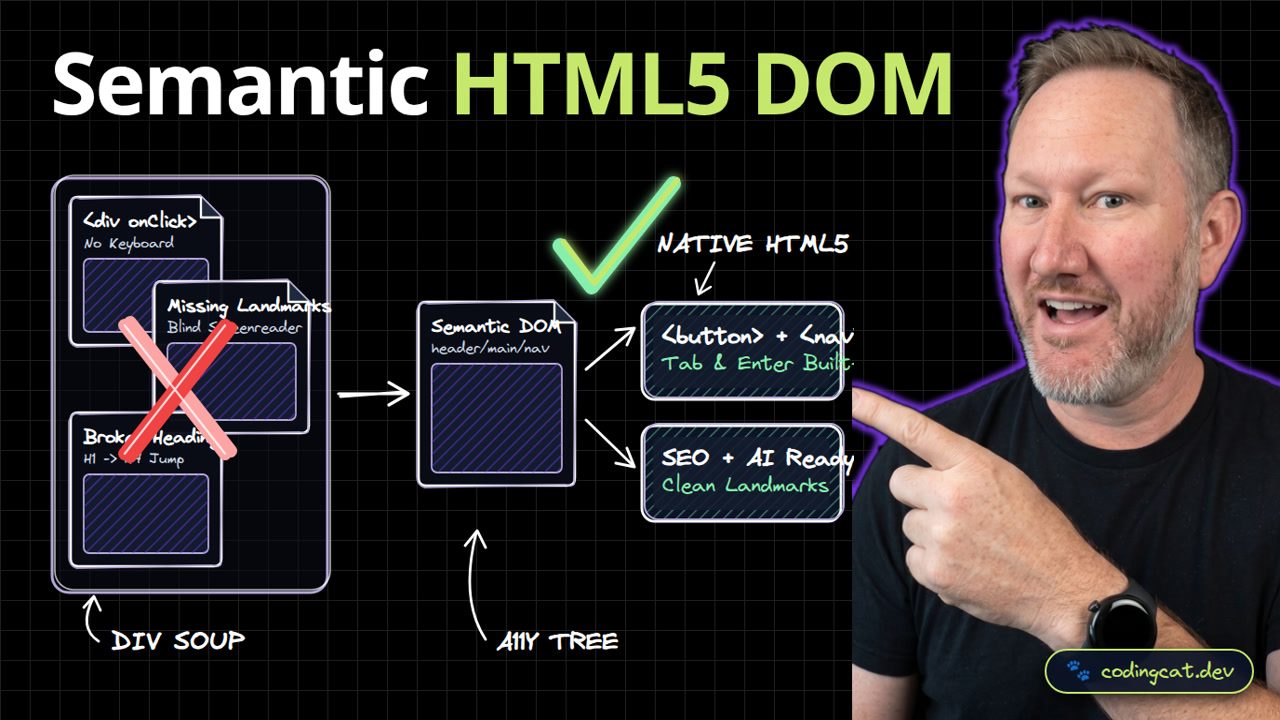
1. The 15-Second Hook
Wrapping every piece of your UI in generic div tags breaks keyboard navigation, hurts SEO, and forces you to reinvent browser behavior in JavaScript. Let's master semantic HTML5 landmarks.
2. Architecture Mental Model (Visual Diagram)
On the left, div soup with click handlers traps keyboard and screen-reader users. On the right, semantic landmarks like header, nav, main, article, and button build a clean accessibility tree automatically.
3. Show Me the Code (src/index.html)
<header>
  <nav aria-label="Primary">
    <a href="/courses">Explore Courses</a>
  </nav>
</header>
<main>
  <article>
    <h1>Semantic HTML5 Architecture</h1>
    <button type="button">Start Lesson</button>
  </article>
</main>
In src/index.html, we structure the page with header, nav with aria-label, main, article, a single H1, and an explicit button element.
4. Production Trade-Off Matrix
Comparing native semantic HTML5 against div soup, semantic elements give you built-in keyboard accessibility, mobile input keyboards, and cleaner SEO indexing for free.
5. Verdict & AJ Pro-Tip
AJ Pro-Tip: Always include type='button' on non-submit buttons inside forms, because the HTML specification defaults button elements to type='submit'!
Reach for native HTML elements before writing custom JavaScript wrappers. Subscribe to CodingCat.dev and let's master CSS Flexbox in Lesson 3.
how this course connects together.
Follow AJ from first principles to production-ready architecture.